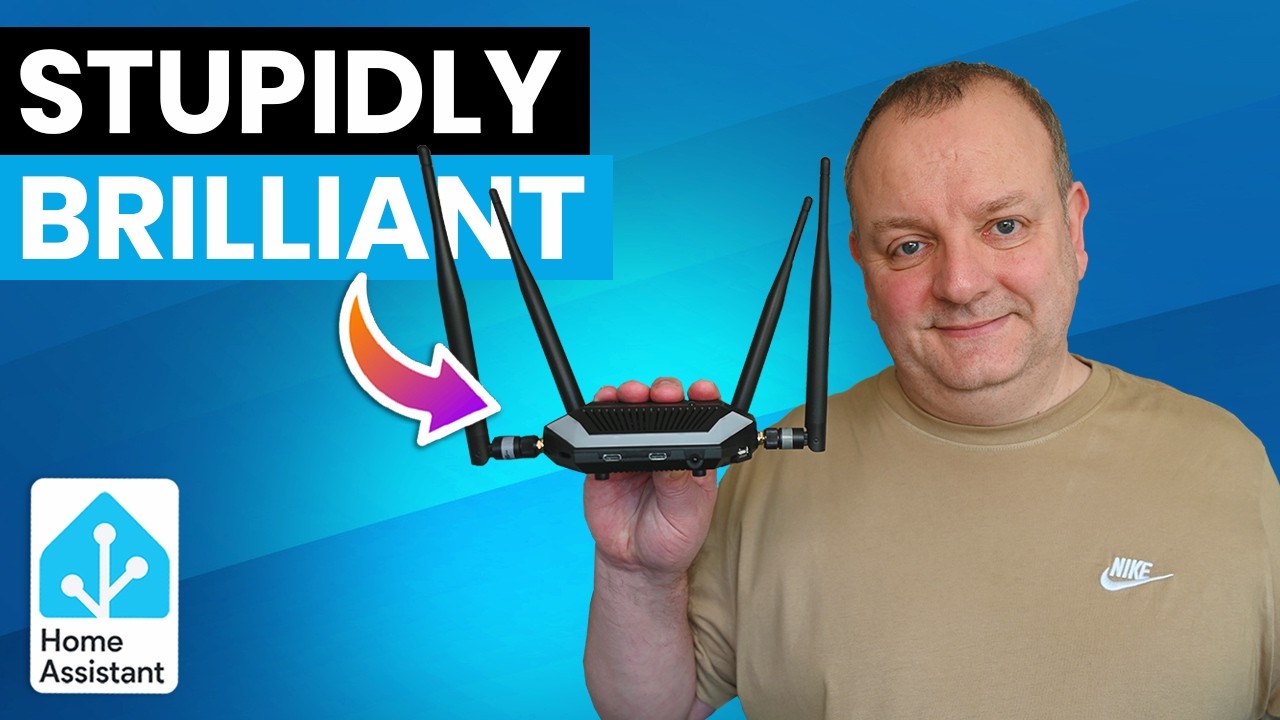
If your smart home closet looks like a USB power strip multiplied by a tangle of dongles — one for Zigbee, another for Thread, a separate Z-Wave stick — the SMLIGHT Ultima is built exactly for you. It's a single, compact multi-radio hub that aims to replace that whole collection, and after hands-on testing with Home Assistant, it's hard not to be impressed by how much they've crammed into a box the size of a USB hub.
What's in the Box (and on the Body)
The Ultima is smaller than you'd expect given the spec sheet. The plastic housing has ventilation slots all around and stayed barely warm during testing. On top you get status LEDs, an IR blaster, and a multi-color LED strip. The front has two USB-C ports and an IR receiver; the rear adds another USB-C, an RJ45 Ethernet port, an audio jack, and two antenna connectors. There's also a USB-A port on the right and a slot for an optional microphone on the left.
Every built-in radio ships with its own antenna in the box. It's plug-in-and-go for the basics.
Built-in Radios and Optional Add-On Modules
This is where the SMLIGHT Ultima earns its name. Three dedicated radio chipsets handle the heavy lifting:
- Silicon Labs EFR32MG24 — Zigbee coordinator/router or Matter over Thread
- Texas Instruments CC2674P10 — second Zigbee/Thread radio; can also run a standalone Zigbee hub directly on the device
- Silicon Labs EFR32ZG23 — Z-Wave 800 (add-on module, currently in certification)
- ESP32-S3 — onboard Wi-Fi and Bluetooth proxy for Home Assistant
On top of those, SMLight offers modular add-ons that snap onto the main board: a 4G/LTE module (primary or backup internet via SIM), a PoE module (clean single-cable install), and a future microphone module. The base unit starts at £44; fully loaded with Z-Wave, 4G, and PoE it runs £76 — reasonable for the capability stack.
One real gripe: opening the case to install modules requires prying with a flat screwdriver near the USB-C port, which feels riskier than it should. Four screws on the bottom would have solved this entirely.
SLZB-OS: More Than a Coordinator
Connect it over Ethernet and the web dashboard greets you immediately. From there you can flip radio operating modes, configure MQTT, set up a standalone Zigbee hub (no external computer needed), or enable the Ethernet-to-Wi-Fi bridge. Built-in IR capture lets you grab commands from any remote control and replay them via Home Assistant automations — handy for legacy TVs and ACs. There's also a buzzer for audio notifications, a WireGuard VPN for secure remote access, dynamic DNS, and Berry scripting for on-device automations. The Home Assistant config paste snippet is right there in the UI, which cuts setup time significantly.
Home Assistant Integration
At time of filming, the dedicated SMLight integration didn't yet list the Ultima — it's a new device and integrations take a little time to catch up. That said, it works fine already: adding a Zigbee radio via ZHA took minutes, and an Aqara button and generic Zigbee plug paired without issues. IR transmitter capture and playback worked too, though keep the IR angle limitation in mind — placement matters if you're controlling something across a room.
Full native integration support (with all entities exposed) should arrive shortly, and that's when this device will really shine.
Verdict: Buy It If You're Running Multiple Protocols
The SMLIGHT Ultima isn't for someone running five Zigbee bulbs on a single dongle. It's for the Home Assistant enthusiast juggling multiple protocols, wanting a cleaner setup, and eyeing future-proofing via Z-Wave, Thread, and 4G. At £44 for the base unit — with optional modules keeping costs in check — the value is genuinely hard to argue with. Sort out the case-opening design, SMLIGHT, and this becomes an easy top pick.
This article was created with AI help. If you want to watch the original video, please visit the link below.