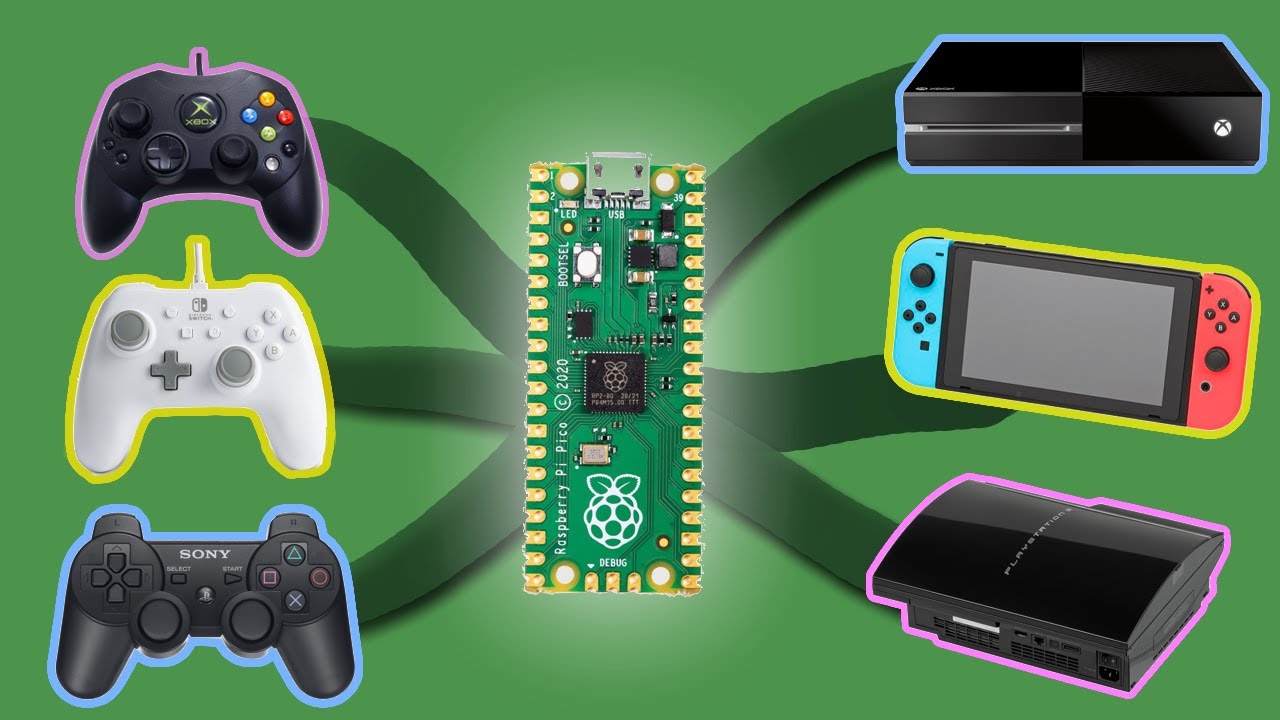
You pull an old console out of storage and realize none of your controllers work with it. New PlayStation 3 controllers run $20–40 used, and you've already got a drawer full of perfectly good pads for other systems. The fix is a $4 Raspberry Pi Pico flashed with OGX Mini — a free, open-source project that converts any wired controller into a signal any console can read.
What You Need
The parts list is short:
- Raspberry Pi Pico (original, Pico 2, or Pico W) — about $4
- USB-A female cable, cut to board length as a pigtail
- Soldering iron and solder
- Optional: 3D-printed snap case from Printables or Thingiverse
Adafruit sells a Pico with a USB-A female header already soldered for around $15 if you'd rather skip the soldering step. For everyone else, four wire joints and ten minutes is all it takes.
Soldering the USB Connector
Strip the outer sheathing off the cable, then carefully strip the four inner wires. A pocket knife works better than a wire stripper here — lighter touch on wire that thin. Tin each wire, clamp the Pico in a helping-hands holder if you have one, and solder into the matching through-holes: power and ground on opposite sides, the two data pins on the upper left per the OGX Mini wiring diagram. Clip the back flush, add a zip tie for strain relief, done.
Flashing OGX Mini
Hold the BOOTSEL button on the Pico and plug it into your PC. It mounts as a mass-storage drive called RPI-RP2. Grab the latest UF2 file from the OGX Mini GitHub releases page, drag it onto that drive, and the Pico reboots automatically. No coding, no terminal, no Python environment — the firmware is precompiled and ready to go in about 30 seconds.
Switching Console Modes
Once flashed, hold a button combo for roughly three seconds to cycle between emulation modes:
- Xbox 360 controller
- Original Xbox (Xbox S)
- PlayStation 3 controller
- Nintendo Switch (Pokken controller protocol)
The last-used mode is saved onboard, so if you always need it for PS3 it boots straight into PS3 mode next time. Plug your controller into the USB-A pigtail, plug the Pico's micro-USB into the console, and it registers immediately.
Real-World Limits to Know
Two gotchas worth flagging before you build. First, analog precision isn't always perfect — some controllers fall back to an 8-way D-pad rather than true analog axes, which makes analog-heavy games rough. Second, cable length matters on the Nintendo Switch: a 9-foot controller cord plus an extension drew too little power to register at all. Keep the total cable run under 3 feet to stay within the Switch's USB power budget.
Worth Building?
For anyone sitting on mismatched controllers, the OGX Mini build is one of the most practical Raspberry Pi Pico projects out there. Parts run under $10, the firmware install takes minutes, and the result is a pocket-sized adapter that bridges almost any wired controller to almost any console. If you can solder four wires, you can build this — and it beats paying $30 for a single used DualShock.
This article was created with AI help. If you want to watch the original video, please visit the link below.